Delete a Shared Folder
On this page
Relay gives you separate controls for deleting a folder and its files from your filesystem and removing a Shared Folder from a Relay Server. Choose the action for the copy you want to remove.
| What you want to remove | What gets deleted | What stays |
|---|---|---|
| Local folder and its files | The folder and its files move to trash. Its local Relay metadata is deleted. | The server copy and collaborators’ copies. |
| Shared Folder on the Relay Server | The server’s Shared Folder record, for all members. | Files already downloaded to your devices and collaborators’ devices. |
Preserve changes you need
Before deleting a local folder, save a separate copy of any notes you need to keep. Include changes that haven’t synced. A download from the Relay Server cannot supply changes that never reached it.
Before deleting the server’s Shared Folder, coordinate with your collaborators and keep the copies you need.
Open the Shared Folder’s settings
- Open Obsidian’s command palette and run Relay: Open settings.
- Under My vault, select the gear icon beside the Shared Folder.
- Check the folder name before choosing a deletion action below.
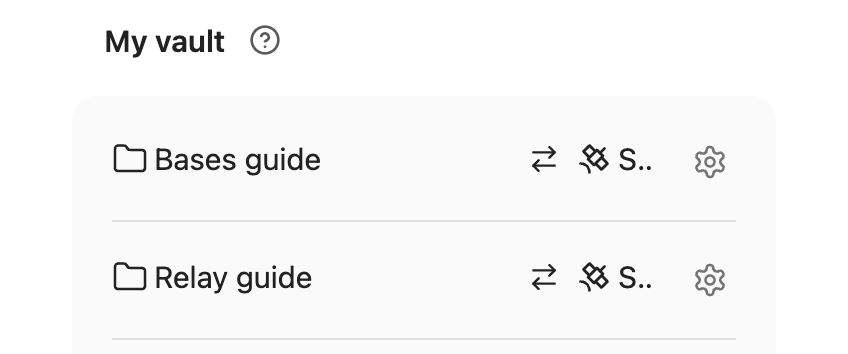
On desktop, you can also right-click the folder in Obsidian’s file explorer and choose Relay: Local folder settings.
If the folder is only on the Relay Server, select the server under Relay Servers, then select the Shared Folder.
The available controls depend on whether the folder is on a Relay Server you can access and which role you have.
Three ways to delete
Delete the folder from your vault
Use this action to remove the entire local Shared Folder while keeping its copy on the remote Relay Server.
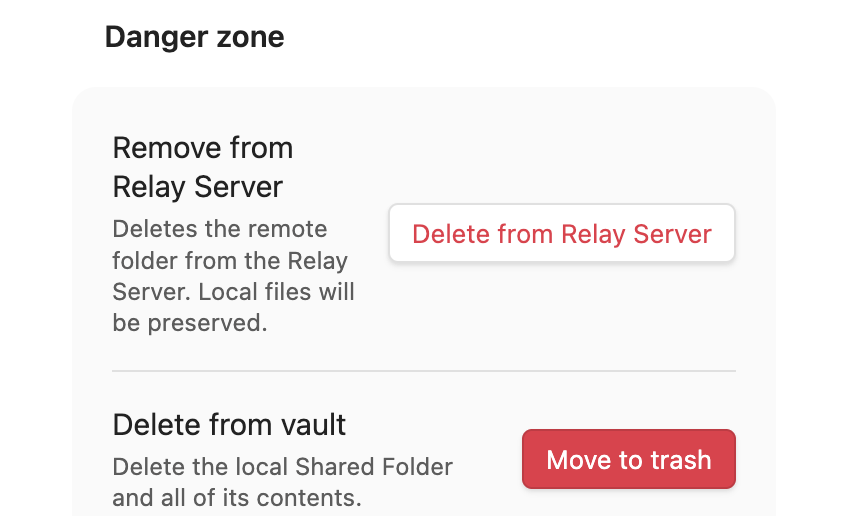
In Danger zone, find Delete from vault and click Move to trash.
To download the server copy again, follow Add the Shared Folder to your vault.
Delete the folder from a Relay Server
You must have the Owner role to delete the Shared Folder from the Relay Server. If you’re not an Owner, ask an Owner to delete it for you.
This removes the Shared Folder from the Relay Server for everyone. Files already downloaded to your machines and your collaborators’ machines stay there.
In Danger zone, find Remove from Relay Server and click Delete from Relay Server.
To check the result, confirm that the folder no longer appears among that server’s Shared Folders.
Stop tracking the folder with Relay
To return the folder to a regular local folder, delete its local Relay metadata.
Relay uses that metadata to keep the folder in sync. To delete it, first remove the folder from the Relay Server. That stops sharing the folder with everyone and leaves your local files in place. You can then use Delete metadata in the local folder settings. Your folder is now a regular local folder, and Relay no longer tracks it.
Delete notes and subfolders inside a Shared Folder
Deleting notes or subfolders inside a Shared Folder also deletes them from collaborators’ copies when the deletion syncs. Deleting a subfolder includes the shared files and subfolders inside it.
If you delete all the notes inside a Shared Folder, those deletions sync too. Emptying the folder is not the same as removing your local copy of it.
To remove the entire Shared Folder from your filesystem while keeping the server copy and collaborators’ copies, follow Delete the folder from your vault.
Recover a deleted local folder
If the folder is still in the trash, restore its files using Obsidian’s guidance for deleted files. You can also restore files from a backup.
If the Shared Folder is still on the Relay Server, you can download it again. Changes that never synced must come from your trash copy or backup.