Rotate a share key
On this page
Rotate a Relay Server's share key to replace the key people use to join. Use this when you want to stop invitations made with a previously shared key.
Check your role
You must be an Owner of the Relay Server to rotate its share key. If you're a Member, ask an Owner to rotate it.
Rotate the key
- Open Relay settings.
- Under Relay Servers, click the gear icon beside the server you want to manage.
- Scroll to Sharing.
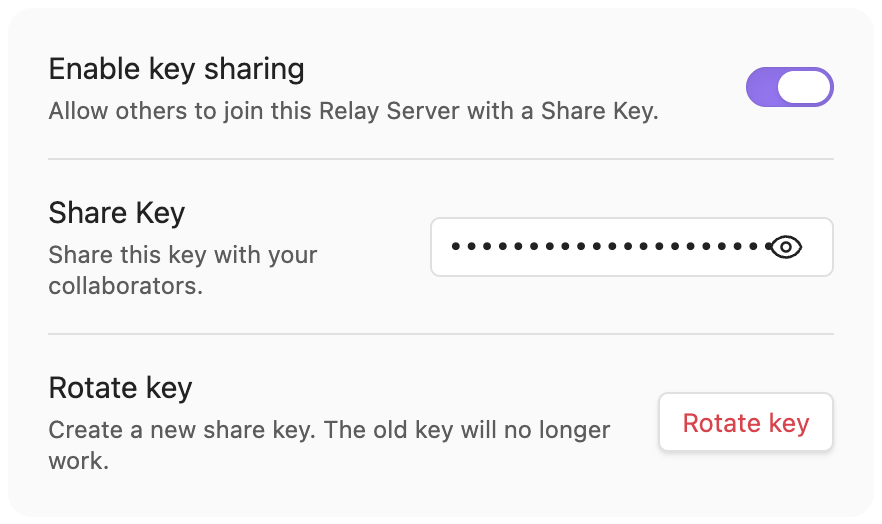
- With Enable key sharing on, click Rotate key. Relay replaces the Share Key; the previous key no longer works for joining.
- To invite someone, copy the replacement Share Key and send it only to the people you want to join. Treat it like a password.
Anyone who obtains the replacement key can use it to join, including someone you previously removed.
Check the result
Check that Share Key has changed before sharing the replacement. If Relay reports Failed to rotate key, don't treat the rotation as complete. Reopen the server settings and check the key before trying again.
Manage members separately
People who have already joined remain members when you rotate the key. To remove someone, open the server settings and find the Users section. Follow Remove a user from a Relay Server. Rotating an invitation key and removing a member are separate actions.
Find hidden key controls
When Enable key sharing is off, Relay hides Share Key and Rotate key. Leave key sharing off if you want to prevent joins through a share key.

To make key invitations available again, turn Enable key sharing on. Check the key before sending it. Enabling sharing is a separate action from rotating the key.
If key sharing is enabled but Rotate key is missing, check your role under Users in the server settings. Only an Owner of that Relay Server can rotate its key.