Use Relay Comments with agents
On this page
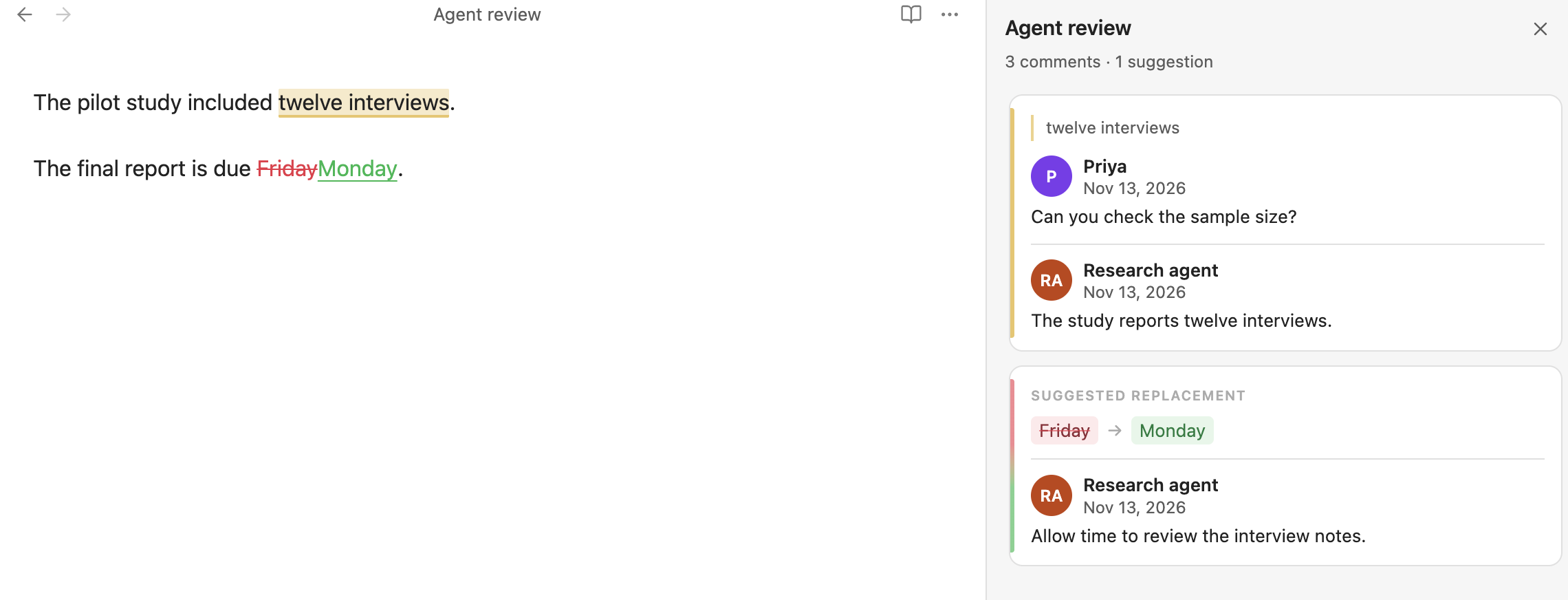
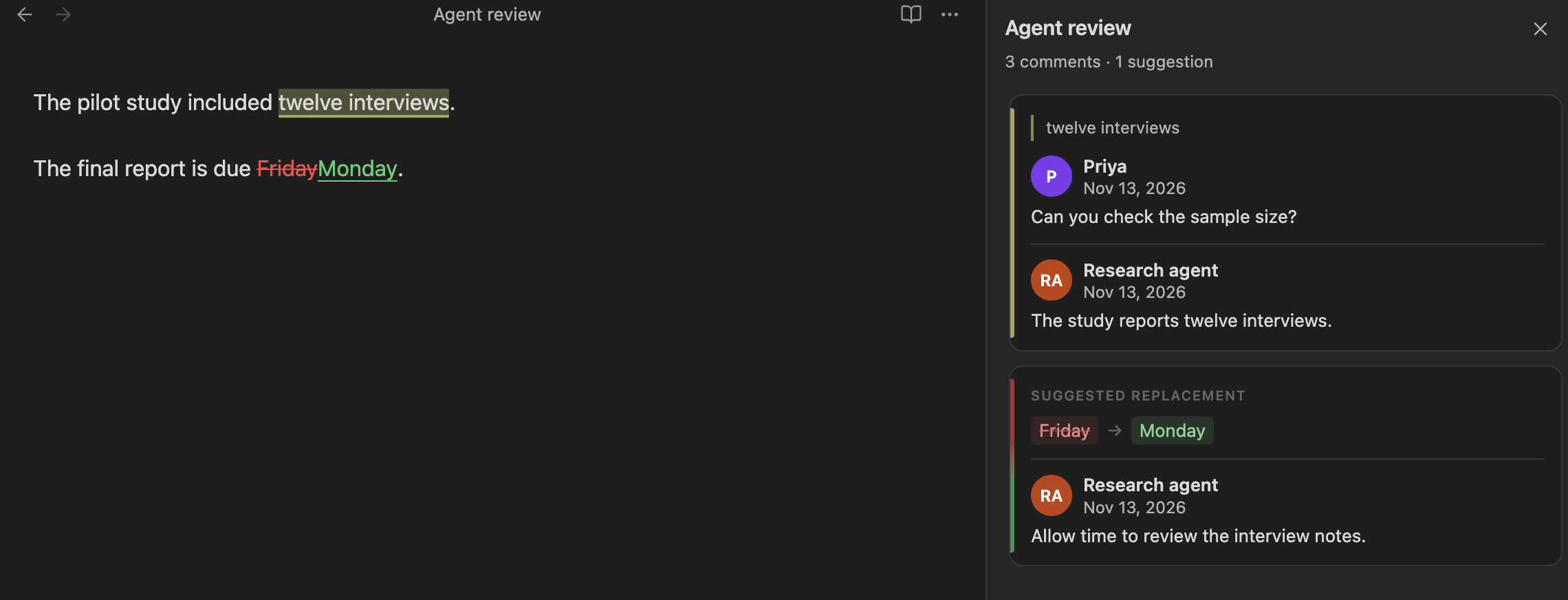
Your agent can read comments, add comments, reply to threads, and resolve discussions in Relay Comments. It can edit the note's CriticMarkup directly, or use the comments command family through the Obsidian CLI.
Your agent can also suggest edits for review and accept or reject suggestions.
Prepare your agent
Any agent that can read and edit Markdown files can work with the markup in your notes. For plugin setup, see Install Relay Comments.
To use Relay Comments commands in the Obsidian CLI, enable the command line interface in Obsidian and open your vault in the desktop app. The commands require Relay Comments 0.5.0 or later and Obsidian desktop 1.12.2 or later.
Give your agent the skill
The relay-skills repository includes the relay-comments skill, which explains review roles, markup, identity, and how to respond to threads.
-
To install through a skill installer, run the repository's HTTPS command:
npx skills add https://github.com/No-Instructions/relay-skillsFor Claude Code's plugin marketplace, the repository also provides these commands:
/plugin marketplace add No-Instructions/relay-skills
/plugin install relay@relay-skills
For manual installation in Claude Code, add the repository's contents to the
.claudefolder at the root of your vault or working folder. For Codex, copy itsskills/directory into your Codex skills path, typically~/.codex/skills. -
Give your agent the vault name, note path, and task. Say whether you want it to participate in the discussion, suggest changes for review, or edit the note.
-
If the agent has its own review identity, have it pass that identity as
author=when writing through the Obsidian CLI. Without an override, the Obsidian CLI uses your configured reviewer identity.
The skill repository lists Obsidian 1.12.4 or later as its requirement. Relay Comments commands in the Obsidian CLI require 1.12.2 or later.
Start a review
Replace VAULT, NOTE.md, and the other uppercase values with your own values. Paths are relative to the vault.
-
To check the plugin version and signing identity, run:
obsidian vault="VAULT" comments path="NOTE.md" --json -
To read the note's threads and suggestions, run:
obsidian vault="VAULT" comments:threads path="NOTE.md" --json -
Read the whole note and each thread before responding. To append a reply, use the thread's
indexoridfrom the listing:obsidian vault="VAULT" comments:reply path="NOTE.md" thread="THREAD" text="REPLY" author="AGENT" --json -
To open a discussion on another passage, quote it exactly:
obsidian vault="VAULT" comments:comment path="NOTE.md" quote="PASSAGE" text="COMMENT" author="AGENT" --json -
After the requested work is complete, resolve its discussion. Resolving a suggestion's discussion leaves the suggestion for review.
Suggest edits for review
To propose a replacement for review, quote the passage exactly:
obsidian vault="VAULT" comments:suggest path="NOTE.md" quote="PASSAGE" replace="REPLACEMENT" comment="REASON" author="AGENT" --json
In Relay Comments 0.5.2, a bare suggestion (comments:suggest without comment=) shows no author. To attribute your agent's suggestion, attach a short comment with comment= and pass its identity as author=. The byline belongs to that comment.
To accept or reject a suggestion, use comments:accept or comments:reject instead of resolving its discussion.
Check the result
For each JSON response, check ok. A successful response has ok: true; a failure has ok: false, code, and message. The Obsidian CLI's exit code alone doesn't distinguish success from failure.
After a write, list the threads again and reread the note. Check the passage, reply order, and attribution before continuing. Thread numbers follow document order, and a text anchor's ID can change when text before it changes, so use a fresh listing after edits.
Follow a note's review activity
The comments:watch command in the Obsidian CLI lets your agent wait for comments, replies, resolutions, and suggestions.
-
To start tracking a note without waiting, arm its scope with a zero-second timeout:
obsidian vault="VAULT" comments:watch path="NOTE.md" timeout=0 --jsonKeep the returned
cursor. The first watch takes a baseline; it doesn't return comments already present as new events. -
To catch up on the baseline, list the note's threads and read the note.
-
To wait for changes after that baseline, pass its cursor:
obsidian vault="VAULT" comments:watch path="NOTE.md" since=CURSOR timeout=30 ignore-author="AGENT" --json -
When a call returns events, reread the note and its threads, then respond as needed. To continue watching, call again with the returned cursor. A call returns once; it doesn't run your agent or write a response for it. Responses can be batched; continue with the returned cursor to catch up. A zero-second poll immediately after a write can return empty while the change is being processed.
A note or folder stays tracked between watch calls. When Relay Comments reloads, tracking starts over: the cursor returns to 0, so arm the scope again.
The watch compares review marks, so ordinary typing outside marks doesn't produce a review-change event. any=true also returns for edits that leave marks unchanged, but those edit events aren't retained for a later since= call.
The filters apply to each call:
| Argument | Behavior |
|---|---|
kind=KINDS |
Accept comma-separated comment, highlight, addition, deletion, or substitution. |
ignore-author=AUTHORS |
Accept comma-separated names or IDs. Skip events whose marks are all by those authors. |
timeout=SECONDS |
Return an empty event list with timedOut: true after the interval. Without a timeout, wait until matching activity. |
since=CURSOR |
Return retained matching events after the cursor, or wait for the next match. The in-memory log retains 1,000 events; gap: true means earlier events were dropped. |
When gap is true, list threads again to recover the note's review state. After the plugin reloads, arm the scope and take a fresh baseline; its in-memory log doesn't provide a durable review history. A cursor from before the reload can return empty events with gap: false; that response doesn't recover the earlier session.
Recover from a failed command
If the JSON response has ok: false, use code and message before retrying. For an ambiguous quote, add line=; quote errors report occurrence lines in occurrences. If a passage overlaps a mark, reply to its thread instead of adding nested markup. If a thread has moved or changed, list it again.
If the command family is unavailable, check that Relay Comments is enabled, the vault is open in Obsidian desktop, and your version of Obsidian supports the plugin’s Obsidian CLI commands. Your agent can also edit CriticMarkup directly.